
Learning how to set custom transaction fees in Ledger Live & save crypto is a key skill for any user. Managing these costs directly impacts your portfolio's profitability over time. Sending crypto from your wallet always involves a network fee, also known as a transaction fee. Blockchain networks require these fees to process and confirm your transactions. Without them, your transfer would never get included in a block. Ledger Live gives users powerful tools to control these expenses. You can choose to pay more for speed or opt for savings with a slower confirmation. Understanding this balance is vital for efficient crypto management, especially as networks get busier.
Many users simply accept the default fee settings. This can lead to overpaying for transactions that are not time-sensitive. Conversely, a fee set too low might cause your transaction to get stuck for hours or even days. Mastering the art of manual fee setting gives you the power to decide. This guide breaks down everything you need to know. We will explore Bitcoin fees, Ethereum gas, and the specific tools Ledger Live provides. You will learn to send funds on your own terms, paying the right price for the speed you need.
Why Do Crypto Networks Charge Fees Anyway?
A deep understanding network fees is the first step toward optimizing your transaction costs. These fees are not collected by Ledger. Instead, they go directly to the people who maintain and secure the blockchain network. Think of it as a toll for using the decentralized crypto highway. The amount you pay often determines how quickly your transaction is processed and confirmed on the ledger.
The Role of Miners and Validators
Miners on Proof-of-Work networks like Bitcoin solve complex puzzles. They use massive computing power to bundle transactions into blocks. Your transaction fee acts as an incentive for them. Miners logically prioritize transactions with higher fees. This is because they get to keep the fees from all transactions in the block they successfully mine. Validators on Proof-of-Stake networks like modern Ethereum perform a similar function. They are chosen to create new blocks based on the amount of crypto they have "staked" as collateral. Transaction fees reward them for their work in securing the network. Without these economic incentives, no one would dedicate resources to processing user transactions.
How Network Congestion Affects Costs
Network congestion directly influences transaction fees. Imagine a highway during rush hour. Limited space exists, and everyone wants to get through. In crypto, "space" refers to the limited number of transactions that can fit into a single block. During periods of high activity, many users are all trying to send transactions at once. This creates a competitive marketplace for block space. Users start bidding against each other by offering higher fees. This bidding war drives up the average cost for everyone. A solid understanding network fees helps you decide whether to wait for congestion to clear or pay a premium to cut through the traffic.
Getting Started with Ledger Live Custom Fees
Learning to use Ledger Live custom fees allows you to manually adjust what you pay for each transaction. Instead of relying on default settings, you gain precise control. This advanced feature is available for many cryptocurrencies, including Bitcoin and Ethereum. Accessing this setting is simple once you know where to look within the Ledger Live application. It empowers you to make smarter financial decisions with every transfer.
Finding the Fee Settings in the App
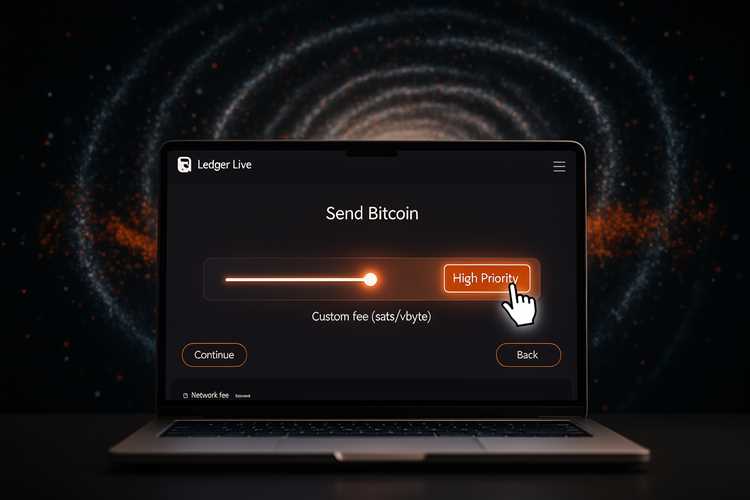
Locating the fee customization option is your first task. When you initiate a "Send" transaction in Ledger Live, you will proceed through several steps. You input the recipient address and the amount. Before the final confirmation step, you will see a summary screen. On this screen, Ledger Live displays the estimated network fee. Look for a button or link labeled "Edit" or "Advanced Options" next to the fee details. Clicking this reveals the manual fee controls. Here, you can move beyond the "Fast," "Medium," and "Slow" presets. You can input a specific fee rate to match your needs and budget.
Prerequisites: Updating Ledger Live and Firmware
Before you begin, ensure your whole Ledger ecosystem is up to date. Running an old version of the software might mean you lack access to the latest fee algorithms or features. First, check that you have the latest version of Ledger Live installed on your computer or mobile device. You can check this within the app's settings. Second, your Ledger hardware device itself runs on firmware. This firmware also receives important updates. Connect your device and follow any prompts in Ledger Live to update the firmware. Keeping everything current ensures maximum security and feature compatibility, including advanced fee controls.
A Closer Look at Bitcoin Transaction Fees
You can easily set bitcoin transaction fee rates directly within Ledger Live for greater control. Bitcoin fees are not based on the amount of BTC you send. Instead, they depend on the transaction's data size in bytes. This size is influenced by the number of inputs and outputs in your transaction. A more complex transaction that draws from multiple previous addresses will be larger and thus cost more to send.
Understanding Satoshis per Byte (sat/vB)
Bitcoin fees are measured in "satoshis per virtual byte" or sat/vB. A satoshi is the smallest unit of Bitcoin, equal to 0.00000001 BTC. When you customize a fee, you are not setting the total fee amount directly. You are setting the rate you are willing to pay per byte of transaction data. Miners use this rate to rank transactions. A transaction with a 10 sat/vB rate will be prioritized over one with a 5 sat/vB rate, regardless of the BTC value being sent. Ledger Live shows you current network rates, helping you choose a competitive sat/vB value. The ability to manually set bitcoin transaction fee levels is crucial for power users.
Choosing Between Fast, Medium, and Slow Confirmations
Ledger Live simplifies fee selection with three presets:
- Fast: This option aims for confirmation in the next one or two blocks (roughly 10-20 minutes). It sets a high sat/vB rate to make your transaction very attractive to miners. Use this for urgent payments.
- Medium: Offering a balance between cost and speed, this targets confirmation within a few blocks (around 30-60 minutes). It is a good default for most everyday transactions.
- Slow: This preset uses a low sat/vB rate to save you money. Confirmation may take several hours or longer, especially if the network is busy. This is ideal for transfers where time is not a factor.
Creating a Low Priority Transaction for Non-Urgent Payments
Sometimes you just need to move funds without any rush. This is the perfect scenario for a low priority transaction. By navigating to the advanced fee settings, you can set a sat/vB rate even lower than the "Slow" preset. You might set a fee of just 1 or 2 sat/vB. Your transaction will wait in the mempool, a holding area for unconfirmed transactions. Miners will only include it in a block when the network is very quiet and there are no higher-fee transactions to process. This could take a day or even longer, but the savings can be substantial. It's a strategic way to manage your holdings at minimal cost.
Navigating Ethereum Gas Fees in Ledger Live
Reviewing ethereum gas fees ledger presents is different from managing Bitcoin fees. The Ethereum network uses a concept called "Gas" to measure the computational effort required for a transaction. Every operation, from a simple transfer to a complex smart contract interaction, has a gas cost. The total transaction fee is calculated based on this gas cost and the price you pay per unit of gas, which is denominated in Gwei.
Breaking Down Gas Price, Gas Limit, and Max Fee
There are three components to understand for ethereum gas fees ledger live shows you.
- Gas Limit: This is the maximum amount of gas you are willing to spend on a transaction. For a simple ETH transfer, a standard limit of 21,000 is common. For smart contract interactions, this value is higher. It acts as a safety measure to prevent a faulty contract from draining your wallet.
- Max Priority Fee (Tip): This is the amount you pay directly to the validator to incentivize them to include your transaction. A higher tip gets you faster service.
- Max Fee per Gas: This is the absolute maximum amount you are willing to pay per unit of gas, including both the base fee and the priority fee. The network will never charge you more than this amount.
How EIP-1559 Changed Ethereum Fee Calculation
Ethereum's "London" hard fork introduced an update called EIP-1559. It changed the fee market to make costs more predictable. Now, every transaction includes a "Base Fee" that is set by the network protocol itself. This Base Fee is burned, meaning it is removed from circulation, which can have a deflationary effect on ETH. The Base Fee rises and falls based on network congestion. In addition to the Base Fee, you add a "Priority Fee" or tip, which goes to the validator. Knowing this helps when setting your Max Fee, as you need to account for both parts.
How to Speed Up a Stuck Transaction
A smart strategy to speed up transaction processing is essential when your payment is taking too long. A transaction can get "stuck" if the fee you paid is too low for current network conditions. The network becomes congested after you send it, and miners begin prioritizing new, higher-fee transactions. Your low-fee transaction is left waiting in the mempool. Fortunately, you are not helpless in this situation. Both Bitcoin and Ethereum have mechanisms to address this.
Using Replace-by-Fee (RBF) for Bitcoin
Bitcoin offers a feature called Replace-by-Fee (RBF). When you send a Bitcoin transaction from Ledger Live, you have the option to mark it as replaceable. If the transaction gets stuck, you can create a new transaction that spends the same inputs but sends them to the same recipient. For this new transaction, you set a higher fee. You then broadcast this replacement to the network. Miners will see the new, more profitable transaction and will prioritize it over the original one. Once the new transaction is confirmed, the original one is invalidated. This is the standard way to speed up transaction confirmations on the Bitcoin network.
Canceling or Replacing an Ethereum Transaction
You can also fix a stuck Ethereum transaction. This method uses a feature called a "nonce," which is a transaction counter for your address. Each transaction you send has a unique, sequential nonce (0, 1, 2, 3...). If transaction #3 is stuck, you can create a new transaction with the same nonce #3.
- To Replace: Create a new transaction to the same recipient with the same amount but a higher Max Priority Fee. Validators will see the higher tip and process it, invalidating the old one.
- To Cancel: Create a new transaction with nonce #3, but send 0 ETH to your own address. Set a high Priority Fee to ensure it gets picked up quickly. Once this cancellation transaction is confirmed, your original transaction is voided.
The Strategic Use of High Priority Transaction Options
Sending a high priority transaction means you are willing to pay a premium for speed. This is a powerful tool for time-sensitive situations. When a transaction must be confirmed as quickly as possible, a higher fee pushes you to the front of the line. Miners and validators are economically motivated to include the most profitable transactions first, so paying more is the most reliable way to get near-instant inclusion in the next block. Knowing when to use this feature can make a significant difference in your crypto activities.
When to Pay More for Faster Confirmations

There are several scenarios where a high priority transaction is justified.
- Arbitrage Trading: When trying to profit from price differences between exchanges, every second counts. A fast transaction can be the difference between a successful trade and a missed opportunity.
- NFT Mints: During a popular NFT drop, thousands of people are competing for a limited supply. Paying a very high fee increases your chances of having your minting transaction processed before the collection sells out.
- DeFi Liquidations: If you need to add collateral to a DeFi lending position to avoid liquidation, a fast transaction is critical. Waiting could result in significant losses. This is where DeFi users might prefer Ledger over other options to be the best wallet for defi management.
Risks of Setting Fees Too High
While speed is valuable, there are risks to overpaying. Setting an exorbitantly high fee is essentially giving away money. It's important to check market rates on a gas tracking website before setting a very high custom fee. Sometimes, the "Fast" preset in Ledger Live is more than adequate. Setting a fee that is 10x the current fast rate will not make your transaction 10x faster; it will just make it 10x more expensive. This is particularly true on Ethereum where a high Max Fee can be spent if the base fee spikes unexpectedly. A measured approach to adjusting fees is always a better strategy than simply setting an extremely high number.
Unlocking Savings with a Low Priority Transaction
Executing a low priority transaction is the best way to save money on network fees when you are not in a hurry. For many crypto activities, such as consolidating funds into a single wallet or sending a payment to a friend, instant confirmation is not necessary. By choosing to wait a bit longer, you can significantly reduce your costs. This requires patience, but the savings add up over time, especially for users who transact frequently. The key is to assess your own urgency for each transfer.
Identifying the Best Times for Cheaper Transactions
Network activity fluctuates throughout the day and week. Transaction fees are often higher during peak business hours in a specific region and lower during nights or weekends. You can use blockchain explorers or fee estimation websites to observe these patterns. By timing your transfers for these quiet periods, you can send a low priority transaction that still gets confirmed reasonably quickly. It's a simple yet powerful strategy. Learning your chosen network's rhythm helps you save money without having your transaction stuck for an excessive amount of time. You can learn how to set custom transaction fees in Ledger Live & save a lot with this timing.
Potential Downsides of Choosing the Lowest Fee
While savings are attractive, setting your fee too low has drawbacks. The primary risk is that your transaction might get stuck in the mempool for an indefinite period. If the network suddenly gets very busy, your transaction could be ignored for days. In some cases, nodes on the network might eventually drop your transaction from their mempool altogether, meaning it will never be confirmed. This can be frustrating and may require you to use a replacement transaction to fix it, which complicates the process. It is a balancing act between cost and reliability.
Exploring Replace by Fee (RBF) in Ledger Live
The RBF replace by fee ledger feature is a specific implementation for Bitcoin that provides flexibility after a transaction has been sent. It is a protocol-level option that signals to the network that your transaction may be updated later. Enabling this gives you an insurance policy against setting a fee too low. If your transaction is not confirming fast enough, you can use RBF to "bump" the fee and get it moving again. It is a key tool for anyone looking to actively manage their Bitcoin sending costs.
How to Enable and Use RBF for Bitcoin Transactions
Using the RBF replace by fee ledger function is straightforward.
- Create Transaction: Begin a standard Bitcoin transaction in Ledger Live. Enter the recipient address and the amount.
- Enable RBF: In the transaction details summary, before you confirm on your device, there may be a checkbox or toggle for "Replace-by-Fee". Make sure this is enabled. Many wallets enable it by default.
- Send Transaction: Send your transaction with your desired initial fee.
- Monitor and Replace: If the transaction is stuck, go to your transaction history in Ledger Live. Find the pending transaction. You should see an option to "Speed Up". Clicking this will open a new transaction dialog, pre-filled with the original details, allowing you to set a higher fee.
- Confirm Replacement: Confirm the new, higher-fee transaction on your Ledger device. This new transaction will then be broadcast, replacing the original one.
Common Scenarios for Using RBF
RBF is useful in several situations. The most common one is when you've opted for a low fee to save money, but the network gets unexpectedly busy. What seemed like a reasonable fee an hour ago is now too low. Instead of waiting indefinitely, you can use RBF to increase the fee and get the transaction confirmed. Another scenario is when you need to speed up transaction completion for an urgent payment that you initially thought was not time-sensitive. The RBF feature provides the flexibility to change your mind and pay for more speed when circumstances change. A deep familiarity with this tool can help in better managing your BTC transactions.
Comparing Fee Structures: Ledger vs. Other Wallets
Analyzing fee management tools across different platforms is a useful exercise. A detailed crypto management app comparison shows that while most wallets allow basic fee selection, advanced customization varies. Ledger Live provides a robust set of tools for both beginners and experts. It combines simple presets with granular controls for those who want to fine-tune every satoshi or Gwei they spend. This flexibility is a major advantage for active users who want to optimize costs.
Fee Customization in Ledger Live vs. Trezor Suite
Ledger Live and Trezor Suite are the software interfaces for the two most popular hardware wallets. Both offer fee customization. Trezor Suite also allows users to set custom Bitcoin fees in sat/vB and custom Ethereum gas fees. The user interfaces are different, which can be a matter of personal preference. Ledger Live has integrated a wider ecosystem of apps and services directly within its interface, which can be a deciding factor for some users. An effective method for users is learning how to set custom transaction fees in Ledger Live & save because its interface is clear and provides real-time fee estimates from the network.
How Metamask Handles Gas Fees for DeFi
Metamask is a leading software wallet, especially for interacting with DeFi and NFTs on Ethereum and other EVM-compatible chains. Metamask also offers sophisticated gas controls. It provides "Low," "Market," and "Aggressive" fee suggestions based on real-time network data. Its advanced tab allows users to manually set the Max Priority Fee and Max Fee per Gas, similar to Ledger Live. Many users connect their Ledger device to Metamask for the ultimate combination of security and usability. This allows them to approve transactions on their secure hardware device while using Metamask's interface, which is often considered the best wallet for defi interactions. Comparing ethereum gas fees ledger controls with Metamask's, you will find very similar capabilities.
Essential Ledger Accessories for a Smooth Experience
Optimizing software settings like Ledger live custom fees is only one part of efficient crypto management. Your hardware setup also plays a crucial role in ensuring transactions go smoothly. Having the right accessories can prevent common problems like a ledger not connecting to pc. A faulty cable or a lack of mobile connectivity can be just as frustrating as a stuck transaction. Below is a table of helpful accessories to consider for a seamless experience with your hardware wallet.
| Accessory | Estimated Price | Compatibility | Use Case |
|---|---|---|---|
| OTG Cable Kit | $20 | Ledger Nano S/X/S Plus | Connecting your Ledger to an Android phone for on-the-go transactions. |
| Official USB-C Cable | $15 | Ledger Nano X/S Plus | Replacing a lost or damaged cable to fix potential cable connection issues. |
| Cryptosteel Capsule Solo | $100 | All hardware wallets | Protecting your 24-word recovery phrase from fire, water, and physical damage. This relates to knowing how to use seed phrase securely. |
| Ledger Nano Pod | $25 | Ledger Nano S/X/S Plus | A protective case for carrying your device safely and preventing physical damage. |
Investing in these small items can prevent major headaches later. A reliable connection is necessary to send any transaction, whether it is a high priority or low priority transaction.
Common Questions About Managing Transaction Fees
This final section addresses common questions about transaction fees on Ledger. Properly managing fees is a recurring theme for crypto users. After you've learned how to set custom transaction fees in Ledger Live & save on costs, you may have more specific questions. Here are some quick answers to a few frequent inquiries that will complete your understanding network fees and their practical application.
What Happens if I Set My Fee Too Low?
If you set a fee that is significantly lower than the current network average, your transaction will be delayed. It will sit in the mempool until network congestion subsides and miners are willing to process cheaper transactions. In a worst-case scenario, if the fee remains too low for an extended period, your transaction might be dropped from the mempool and never confirm. You would then need to resend it. You can often use RBF (for Bitcoin) or a nonce replacement (for Ethereum) to create a new transaction with a higher fee to push it through. This is a common way users speed up transaction confirmation.
Can I Change a Fee After Sending a Transaction?
You cannot directly "change" a fee on a transaction that is already broadcast. However, you can "replace" it. For Bitcoin, you can use the RBF replace by fee ledger feature,前提是您在发送时启用了它. This involves creating a new transaction with a higher fee. For Ethereum, you can replace a transaction by sending a new one with the same nonce but a higher priority fee. This new transaction will supersede the old one. So while you cannot edit the original, you can effectively overwrite it with a more expensive one.
Is It Possible to Overpay for a Transaction?
Yes, it is very possible to overpay. This often happens during periods of high network excitement, like an NFT mint. Users may set an extremely high fee in a panic to ensure their transaction is processed. While this often works, a more measured approach is better. Always check a real-time gas or fee tracker before setting a manual fee. Sending a high priority transaction should still be based on data, not guesses. Paying 50 Gwei when the highest current priority fee is 5 Gwei just means you wasted the extra 45 Gwei. Ledger Live's presets are designed to prevent major overpayment while still offering competitive speeds.